WiFi Doctor: Wi-Fi Optimization & Diagnostics
An advanced Python desktop application and command-line diagnostic engine engineered to eliminate gaming lag spikes, analyze 2.4/5 GHz channel congestion, benchmark DNS resolvers, and optimize Windows network cards.
Dual-Engine Interface: Modern GUI & Headless CLI
Run the full desktop graphical interface for visual spectrum monitoring or leverage the zero-dependency CLI for headless servers and remote automation.
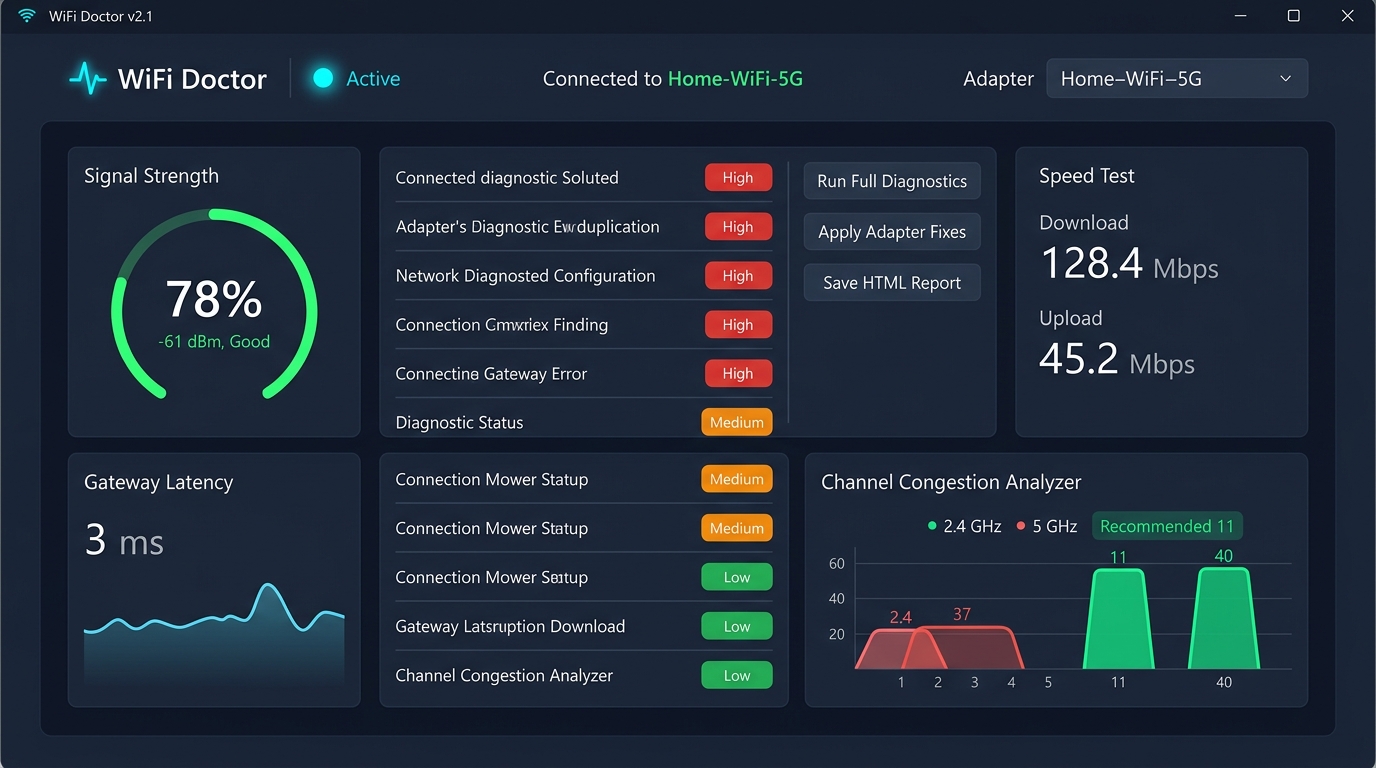
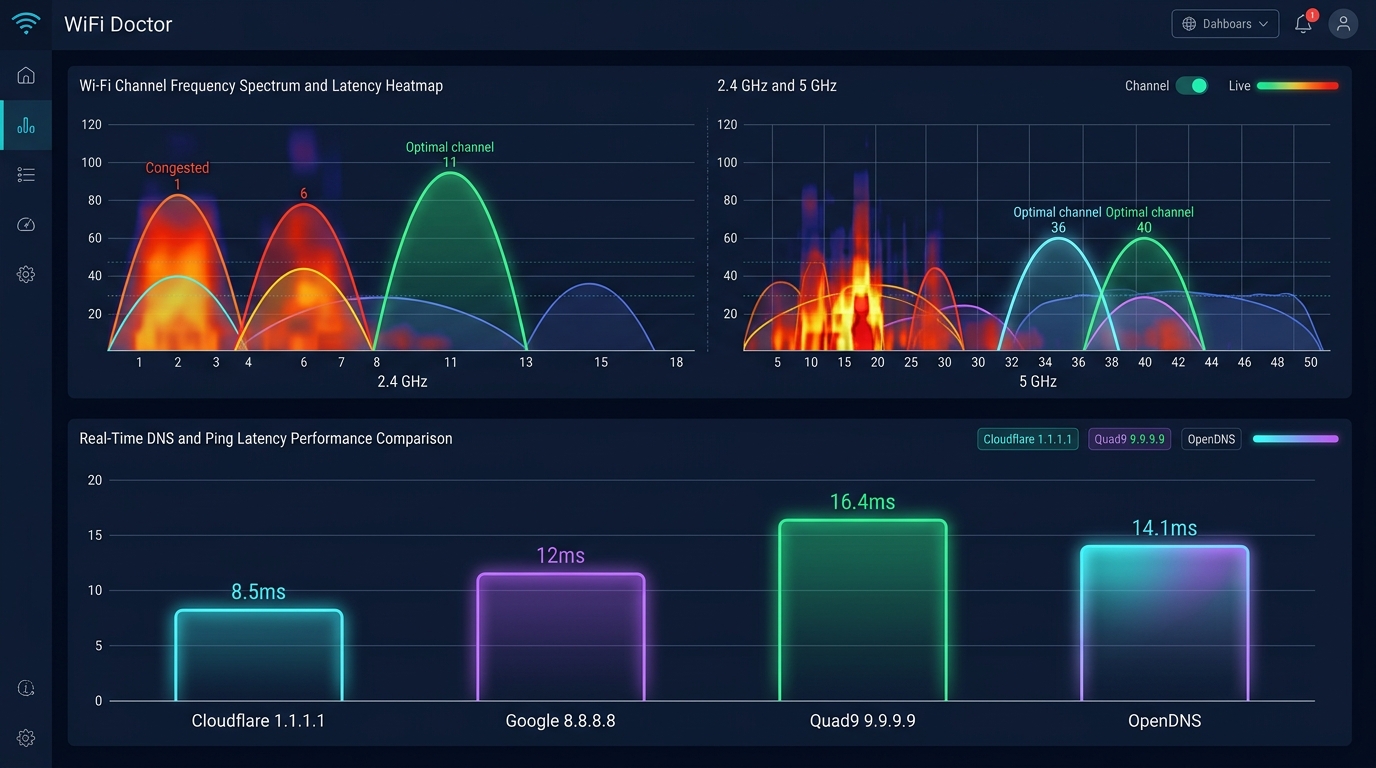
Engineered for Complete Wi-Fi Remediation
WiFi Doctor directly interfaces with Windows registry entries, netsh protocols, and raw socket probes to address network bottlenecks at the hardware and driver level.
Signal Quality & True RSSI
Converts Windows signal percentages into precise dBm estimations with qualitative tiers (Excellent, Good, Fair, Weak, Critical) to guide physical access point placement.
Adjacent Channel Bleed Engine
Evaluates non-overlapping channels (1, 6, 11 on 2.4 GHz; 36-161 on 5 GHz) and calculates adjacent channel collision degradation to recommend the optimal spectrum.
One-Click Adapter Tuning
Eliminates periodic 45-second gaming lag spikes by tuning Roaming Aggressiveness to Low and disabling Windows Selective Suspend power drops with full rollback safety.
DNS Latency Benchmarking
Executes live UDP query rounds across Cloudflare (1.1.1.1), Google (8.8.8.8), Quad9 (9.9.9.9), and OpenDNS to identify the fastest recursive resolver for your ISP.
Router Channel Push
Supports automated channel deployment for TP-Link and ASUS gateways, alongside step-by-step guidance for Netgear, Linksys, Xiaomi, OpenWrt, and Fritz!Box routers.
Multi-Format Audit Reports
Exports standalone dark-themed HTML diagnostic audit sheets, structured JSON payloads, and CSV spreadsheets for IT consultants and proof-of-performance archives.
Real-World Problem Scenarios & Solutions
Select a networking issue below to inspect root causes and the exact remediation workflow executed by WiFi Doctor.
Bufferbloat & Gaming Lag Spikes
Online games and video calls experience sudden 200ms-500ms ping spikes every 30 to 60 seconds while total bandwidth is high.
When "Roaming Aggressiveness" is configured to Medium or High, Windows wireless drivers continuously scan background BSSIDs, pausing active packet delivery.
WiFi Doctor automatically tunes Roaming Aggressiveness to Lowest in single-router environments, eliminating background sweeps.
- Open Live Ping tab or execute "python wifi_doctor.py --ping 8.8.8.8".
- Detect if ping spikes match regular 45-60 second scan intervals.
- Click "Apply Adapter Fixes" to optimize driver parameters.
- Verify jitter stabilization to under 5ms.
Headless CLI Command Reference
Integrate WiFi Doctor into automated scripts, scheduled maintenance cron jobs, or IT support workflows.
Performs comprehensive adapter, link speed, and gateway health analysis in terminal.
Analyzes adjacent wireless networks and calculates cleanest 2.4/5 GHz channels.
Tests UDP query speeds across Cloudflare, Google, Quad9, and OpenDNS.
Runs continuous ICMP probe measuring jitter, minimum/maximum latency, and packet loss.
Compiles a self-contained, dark-themed HTML diagnostic audit file for IT clients.
Runs full simulation suite on Linux, macOS, or CI environments without physical Wi-Fi hardware.
Software Architecture & System Compatibility
| Language & Runtime | Python 3.10 | 3.11 | 3.12 | 3.13 | 3.14 |
| Supported Platforms | Windows 10/11 (Full Desktop GUI & Hardware Tweaks), Linux / macOS (Headless CLI & Simulation) |
| Privilege Elevation | Self-elevating UAC launchers: wifi_doctor_admin.bat and wifi_doctor_admin.ps1 |
| Test Coverage | 32 automated pytest unit and integration tests passing |
| License | MIT Open Source License (100% Free for personal and commercial use) |
| Attribution & Source | Engineered by ProNext Labs. Repository available at github.com/pronextlabs/wifi_doctor |
ProNext Labs engineers high-performance native desktop tools, cross-platform apps, and web platforms.